Freshen your routine with a $5 anticavity toothpaste automatically added when you start your subscription (Terms & conditions apply)

Login
Close mobile menu
Login
New!
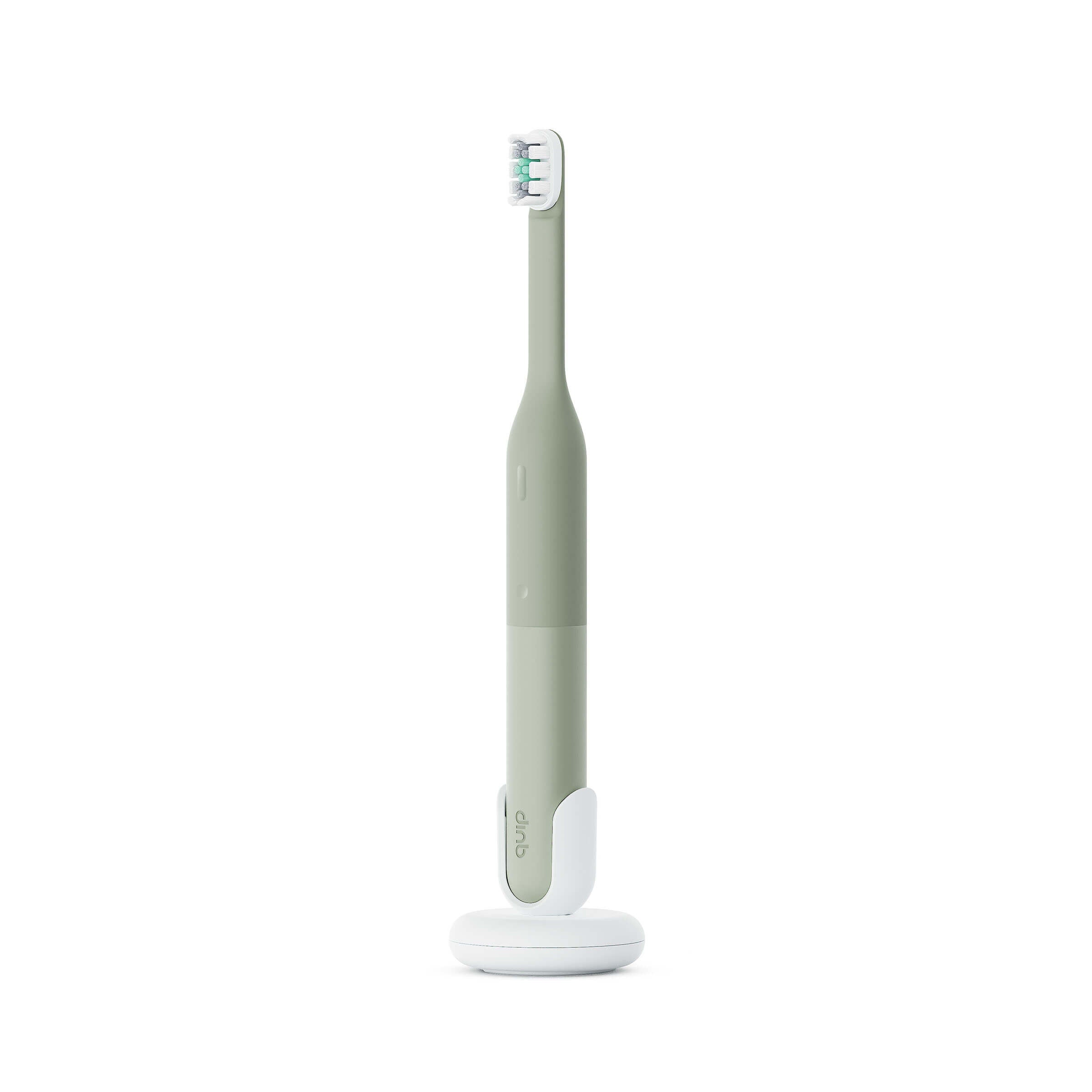
Green electric toothbrush with white base on a white background
Close-up of a person brushing their teeth with a blue toothbrush, emphasizing plaque removal benefits.
Four electric toothbrushes in different colors on a tiled surface.
Silicone product with text highlighting features on a brown background
Green electric toothbrush with charging base on a green background, featuring text about charge duration.
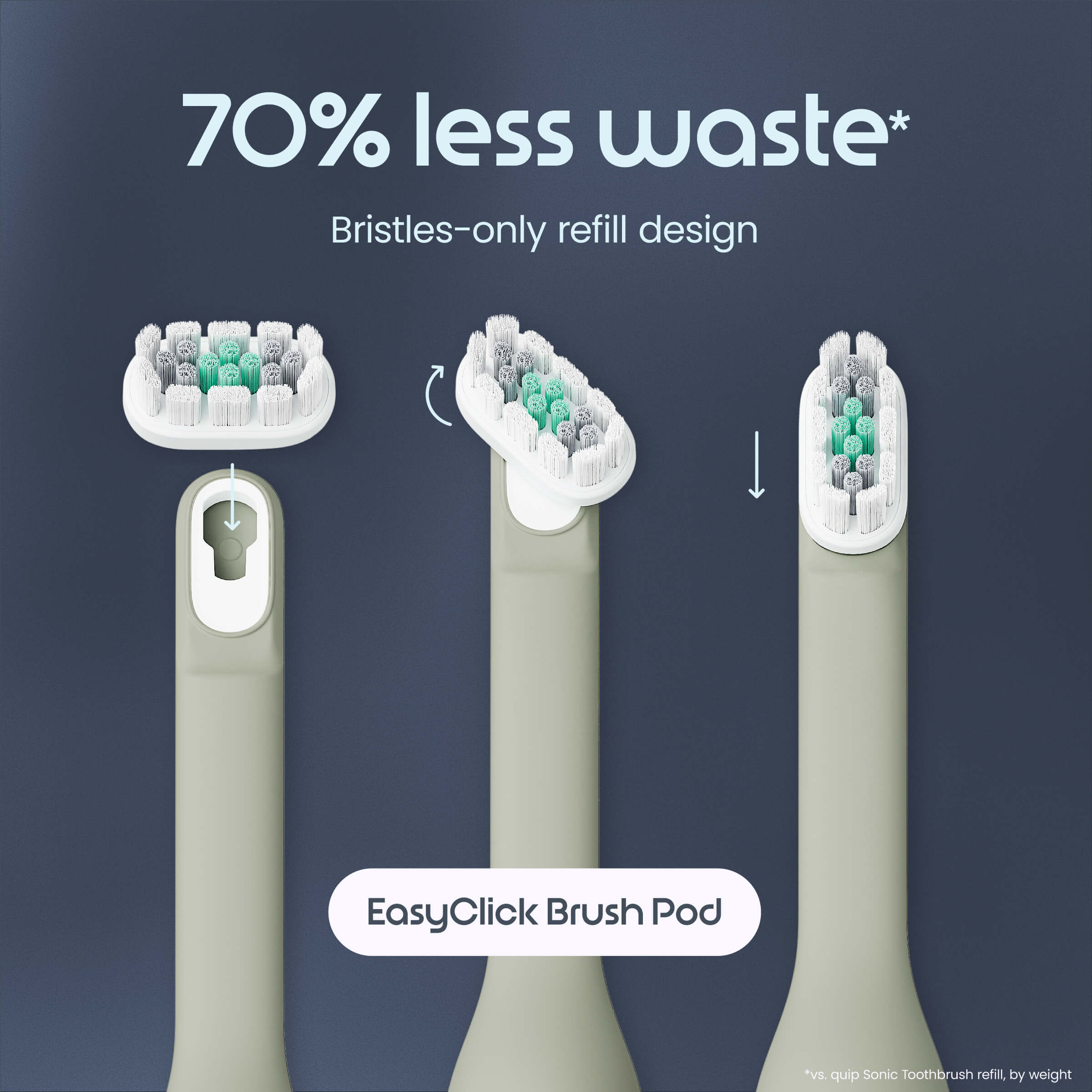
Electric toothbrush heads with '70% less waste' text on a dark blue background
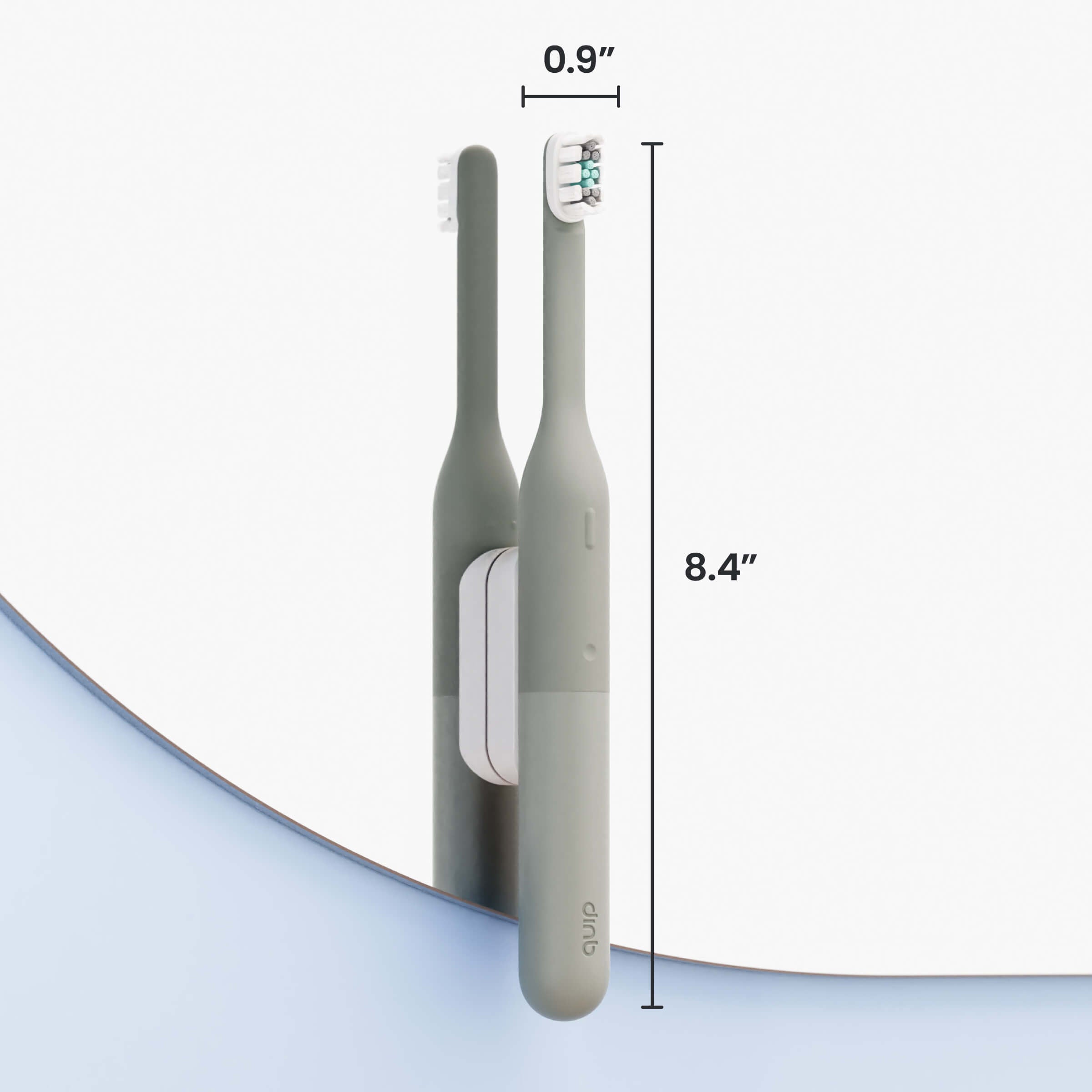
Two electric toothbrushes with measurements on a light gray background
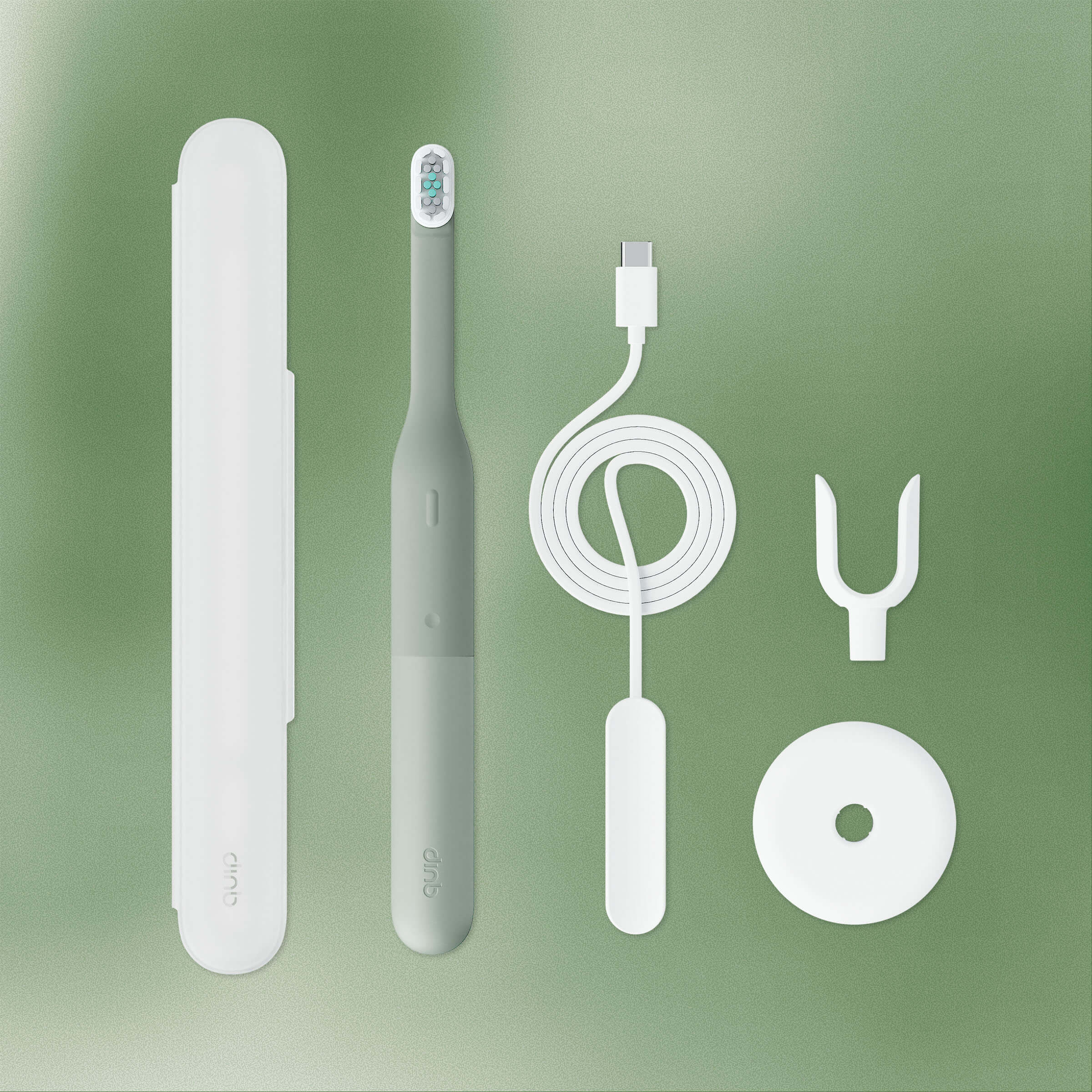
Set of dental care products including a toothbrush, case, cable, and cleaning tools on a green background
New!

Ultra™ Lite Sonic Electric Toothbrush

$60.00

Freshen your routine with a $5 anticavity toothpaste automatically added when you start your subscription (Terms & conditions apply)

Description
  • 15x more plaque removal between teeth*
  • EasyClick Brush Pod, 70% less waste
  • Easy-to-clean silicone neck and controls
  • Guiding LED pressure sensor & vibrations
  • 3 intensities: Gentle, Daily, and Deep Clean
  • Built-in 2-min timer & 30-sec pulses, auto shutoff
  • Up to a 30-day charge

Is this the right brush for your mouth? Take our quiz.

The Ultra™ Lite Sonic Toothbrush has a limited 2-year warranty.

Shipping & Returns

If you don’t absolutely love your quip product(s), we accept returns within 30 days of purchase for a full product cost refund (return shipping not included). quip subscriptions are optional and can be canceled at any time. See full terms.

What’s in the box
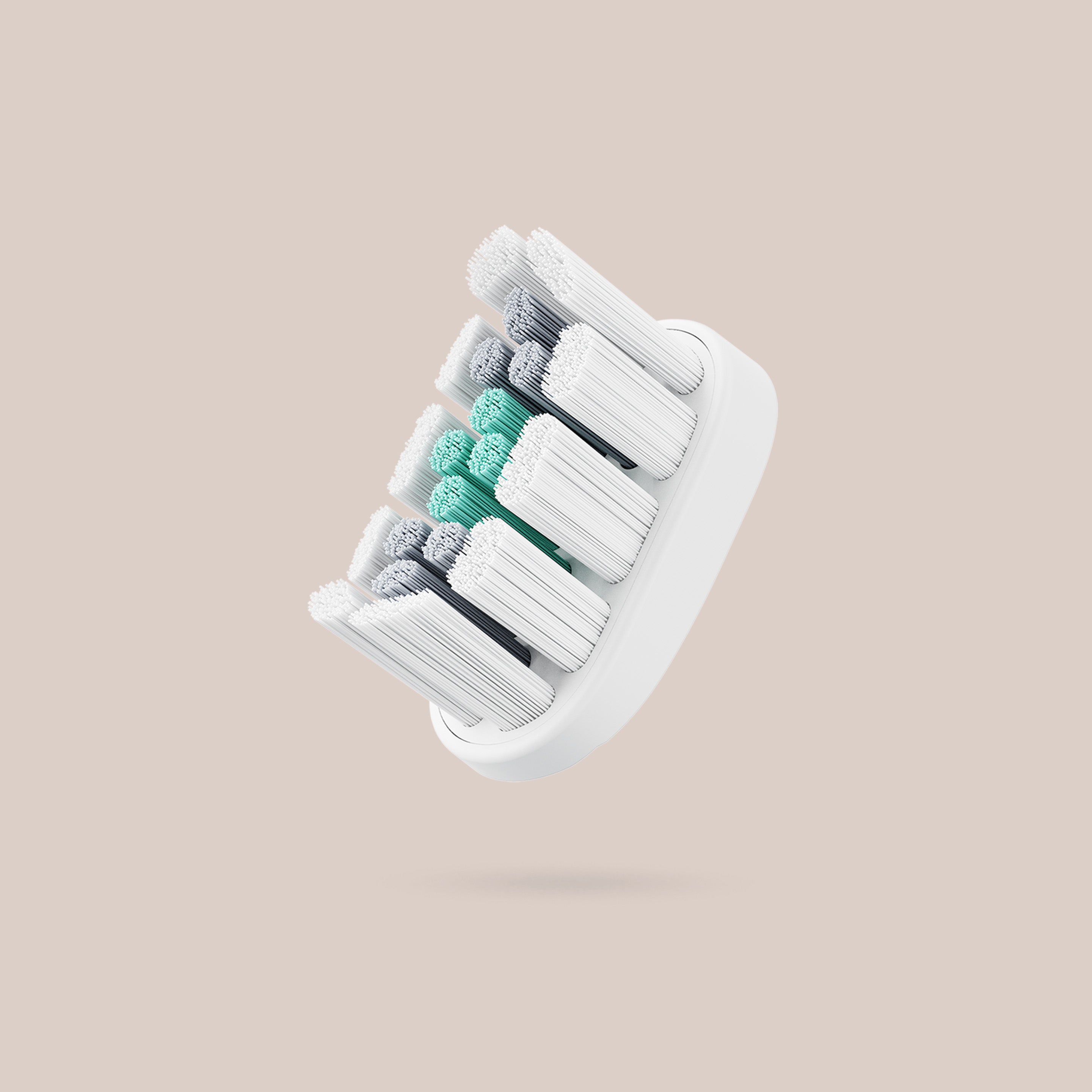
EasyClick Brush Pod with soft, multi-colored bristles designed for effective plaque removal and easy replacement.
EasyClick Brush Pod
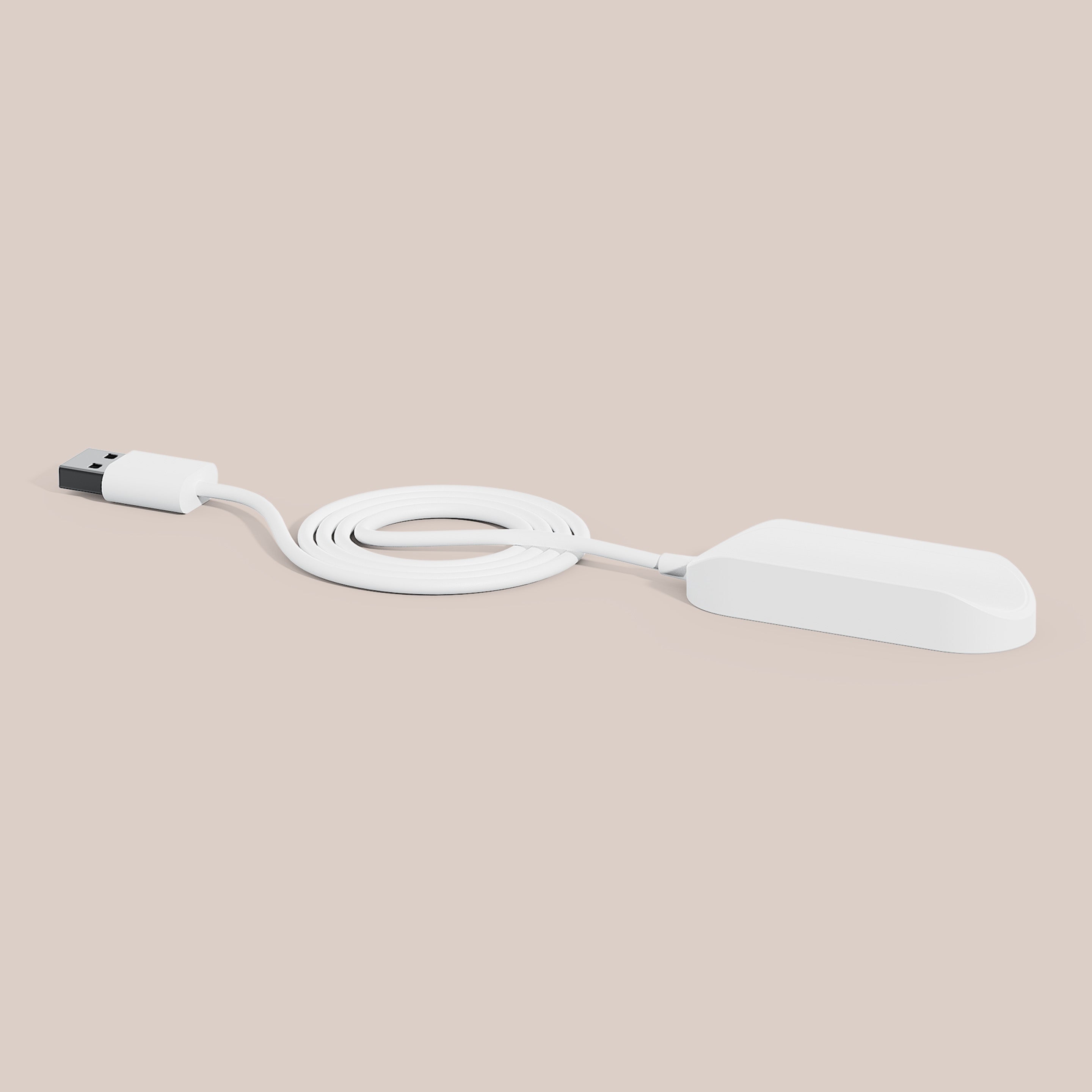
Charger Cable with a sleek white magnetic base and USB connector for the Ultra™ toothbrush.
Charger Cable
Stand
Travel Case
Key highlights
Designed for comfort
Ultra Lite’s silicone-wrapped handle is soft in the mouth and easy to clean.
Simply in control
Choose from Gentle, Daily, or Deep Clean intensities with a pressure sensor to protect gums.
More clean, less waste
EasyClick Brush Pods remove 15x more plaque,* with 70% less waste.† Swap only the bristles.
Long-lasting charge
Brush for up to 30 days‡ — and recharge in just 8 hours with the magnetic charger.
FAQ

Frequently asked questions

Who is quip Ultra™ Lite Sonic Toothbrush best for?

Ultra Lite is ideal for anyone upgrading from a manual toothbrush who wants a powerful clean without extra complexity. Its gentle mode is great for sensitive teeth, and the slim handle with travel case makes it easy to use at home or on the go.

Is quip Ultra™ Lite a Smart Toothbrush with automatic app tracking?

No, quip Ultra Lite is not a Smart Toothbrush with Bluetooth®, and it does not automatically sync, track, or connect to the quip app. You can manually log your brushing habits with quip Ultra Lite (or any toothbrush) to improve your habits and earn rewards.

What modes does quip Ultra™ Lite have?

Ultra Lite has 3 brush intensities:  

  • Gentle: A lighter touch for sensitive teeth 
  • Daily: Comfortable for everyday brushing 
  • Deep clean: Extra power when you want it

How is quip Ultra™ Lite different from quip Ultra?

Both Ultra Toothbrushes feature a pressure sensor, silicone design, and up to a 30-day charge. The difference comes down to simplicity vs. customization:

  • Modes: Ultra Lite offers 3 modes (gentle, daily, deep clean), while Ultra has 10+ intensities.
  • Smart connectivity: Ultra Lite lets you log brushing manually in the quip app, while Ultra syncs automatically via Bluetooth.
  • Handle design: Ultra Lite has a circular handle compared to Ultra’s flat oval shape.
How is quip Ultra™ Lite different from the original quip Sonic Toothbrush?

Ultra Lite adds more power and guiding features compared to the original quip, including 3 brushing modes, a pressure sensor, and up to a 30-day charge. Because it’s more powerful, Ultra Lite is also designed to be used with a gentle gliding motion rather than back-and-forth strokes like a manual toothbrush.

How do you clean the quip Ultra™ Lite Toothbrush?

Be sure to rinse and dry your toothbrush after each use. Every 3 months (when you replace your brush pod) thoroughly wipe down the handle and the opening where the refill attaches to keep it clean and performing its best.

How do I brush with quip Ultra™ Lite?

It’s easy! Unlike a manual toothbrush, a brush as powerful as quip Ultra Lite does the work for you — no scrubbing needed. Before you begin, press the top power button, and then press the bottom button to choose your preferred intensity. Start brushing in one quadrant of your mouth, placing the bristles at a 45º angle toward the gumline. Be sure to cover each tooth for about 3 seconds, sweeping along the front, back, and chewing surfaces. Switch quadrants every 30 seconds until your brush shuts off at 2 minutes. Watch our how-to video.

How do I install and use the Ultra™ Lite mirror mount?

Follow these steps for one-time installation:

1. Clean your chosen surface

  • Thoroughly clean and dry a smooth flat surface (typically mirror, glass, or glossy tile work best) where you’d like to attach your mount.

2. Prepare your Mirror Mount

  • Carefully peel off the thin plastic layer from adhesive on your mount.

3. Adhere your Mirror Mount

  • Firmly press the mount onto its new home for 10–30 seconds and voilà! Watch a video here.
How do I set up and use the quip Ultra™ Lite stand?

To assemble the stand, push the cradle into base with the rubber side facing down. Then simply drop in your Ultra Lite.

How do I recharge my quip Ultra™ Lite?

Your brush should fully recharge in just 8 hours.

  • Charge in the countertop stand: Just drop in your brush, and snap the magnetic charger cable on the back as needed
  • Charge flat: Perfect for travel, just attach the charger and lay your brush on any surface
How do I remove and replace the EasyClick Brush Pod?

Secured with a tri-lock design, you’ll need to first identify the "top" and "bottom" labels on the back of your new brush pod. Set the new pod aside then follow these steps to remove the old one:

  • Unlock: Place your thumb underneath the brush pod and push upward until it “clicks.”
  • Rotate & remove: Grip sides of pod and rotate 90º counterclockwise to remove. Clean and dry handle.
  • Align: Hold the new brush pod horizontally, bottom facing right, insert into slot.
  • Rotate & replace: Grip sides of pod and rotate 90º clockwise until vertical.
  • Lock it in: Press down firmly on the top edge until you feel it “click” in place :) Replace every 3 months, like dentists recommend.

For extra guidance, check out our how-to video.

Is the EasyClick Brush Pod compatible with Ultra™ and Ultra™ Lite?

Yes, the EasyClick Brush Pod is compatible with all Ultra Toothbrushes.

What makes quip Ultra™ Lite better than other sonic electric toothbrushes?

Ultra Lite delivers the powerful performance you’d expect from $100+ electric toothbrushes—at a lower price point and in a simpler, more intuitive design. It features a pressure sensor, multiple modes (including gentle), and a built-in 2-minute timer with guiding pulses. The silicone material is easy to clean, and the EasyClick Brush Pod creates less waste than traditional brush heads or manual toothbrushes.

What’s a pressure sensor?

quip Ultra Lite’s pressure sensor is designed to help protect your teeth and gums and prevent harsh brushing. When you apply too much pressure, you’ll feel pulses and see a trickle-down light animation on the 3 LED lights under the power button — a signal to loosen your grip and brush more gently, like dentists recommend.

What material is quip Ultra™ Lite made of?

Ultra Lite features a soft, gunk-free silicone neck that’s easy to wipe clean, plus a smooth plastic handle that’s simple to maintain after every brush.

Is quip Ultra™ Lite eco-friendly?

Yes. Replacing Ultra Lite’s bristle-only brush pod every 3 months creates less waste than disposing a traditional brush head or a full plastic manual toothbrush each time.

If I already have quip Ultra™, should I get Ultra™ Lite too?

Ultra Lite makes a great companion to the original Ultra Toothbrush. It offers 3 brushing modes (compared to Ultra’s 10+) and simple button controls instead of a dynamic LED touch bar. That makes Ultra Lite a convenient, streamlined option for travel, work, or as a reliable backup at home.

Close mini cart